Documentation
Everything you need to know about RuneSpoke Hub
Development Automation
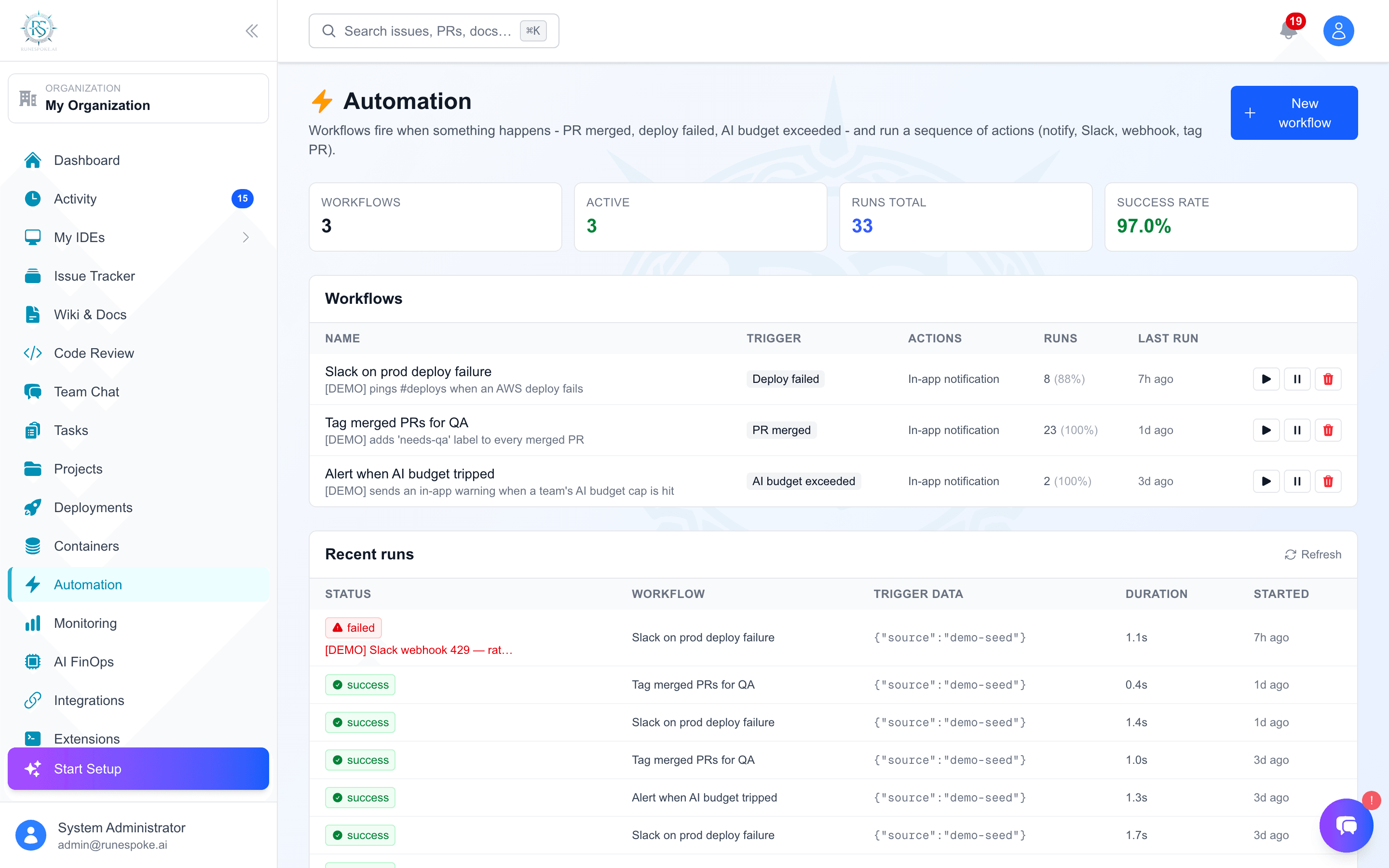
Create intelligent workflows that learn and adapt, automating your entire development lifecycle from code commits to production deployments with AI-powered decision making.
Why RuneSpoke Hub Automation?
Traditional CI/CD Limitations
RuneSpoke Hub Intelligence
Core Automation Features
AI Code Reviews
Multi-AI code review system using Claude, GPT-4, and Gemini for comprehensive analysis, security scanning, and optimization suggestions.
Intelligent Testing
AI-powered test generation, intelligent test selection, and automated test maintenance based on code changes and risk analysis.
Smart Deployments
AI-driven deployment decisions, automatic rollback on issues, canary deployments, and intelligent traffic routing based on performance metrics.
Security Automation
Automated security scanning, vulnerability assessment, compliance checking, and intelligent threat detection across your entire stack.
Getting Started with Automation
Connect Your Repository
Start by connecting your GitHub, GitLab, or Bitbucket repository. RuneSpoke Hub will automatically analyze your codebase and suggest optimal workflows.
 GitHub Setup Guide →
Choose a Workflow Template
Select from AI-optimized templates or let RuneSpoke Hub create a custom workflow based on your project analysis.
Full Stack Web App
AI review → Testing → Staging → Production
API/Microservice
Code review → API testing → Container deployment
Configure AI Providers
Set up your preferred AI providers for different automation tasks. RuneSpoke Hub optimizes cost and performance automatically.
 Claude (reasoning)
 GPT-4 (complex tasks)
 Gemini (speed)
Test Your First Workflow
Make a test commit or create a pull request to see RuneSpoke Hub automation in action. The AI will learn from every execution.
View Automation DashboardAvailable Workflow Types
Code Quality Workflows
- • Multi-AI code review pipeline
- • Automated refactoring suggestions
- • Code style and formatting enforcement
- • Technical debt analysis and tracking
- • Performance optimization recommendations
Testing Workflows
- • AI-generated test case creation
- • Intelligent test selection and prioritization
- • Automated test maintenance and updates
- • Visual regression testing
- • Performance and load testing
Deployment Workflows
- • Blue-green and canary deployments
- • Automatic rollback on failure detection
- • Multi-environment promotion pipelines
- • Infrastructure-as-code validation
- • Post-deployment monitoring and alerting
Security Workflows
- • SAST and DAST security scanning
- • Dependency vulnerability monitoring
- • Compliance and audit trail automation
- • Secret detection and rotation
- • Container and infrastructure security
Advanced Automation Features
AI Learning & Adaptation
RuneSpoke Hub's AI continuously learns from your team's patterns, preferences, and outcomes to optimize workflows automatically.
What the AI learns:
- • Code patterns and architectural preferences
- • Testing strategies that work best for your codebase
- • Deployment timing and risk tolerance
- • Team review patterns and approval workflows
- • Performance characteristics and optimization opportunities
Intelligent Scheduling
AI-powered scheduling that considers resource availability, dependency chains, team schedules, and historical performance data.
Peak Hours Optimization
Schedules resource-intensive tasks during low-traffic periods
Dependency Management
Automatically sequences tasks based on dependencies and constraints
Cross-Platform Integration
Seamless integration with your existing tools while providing unified intelligence and coordination across platforms.
GitHub Actions Slack Notifications
 Container Orchestration
 Cloud Deployments