Documentation
Everything you need to know about RuneSpoke Hub

GitHub Integration
Connect your GitHub repositories to RuneSpoke Hub for automated workflows, AI-powered code reviews, intelligent deployments, and seamless collaboration across your development lifecycle.
Why Connect GitHub?
Automated Workflows
Trigger AI-powered code reviews, testing, and deployments automatically on every push, pull request, and merge.
AI Code Reviews
Get intelligent code reviews from multiple AI providers (Claude, GPT-4, Gemini) with contextual suggestions and issue detection.
Smart Deployments
Automatically deploy to staging and production based on branch rules, test results, and AI-validated code quality.
Security & Compliance
Automated security scanning, dependency updates, and compliance checks with AI-powered vulnerability analysis.
Setup Guide
Install RuneSpoke Hub GitHub App
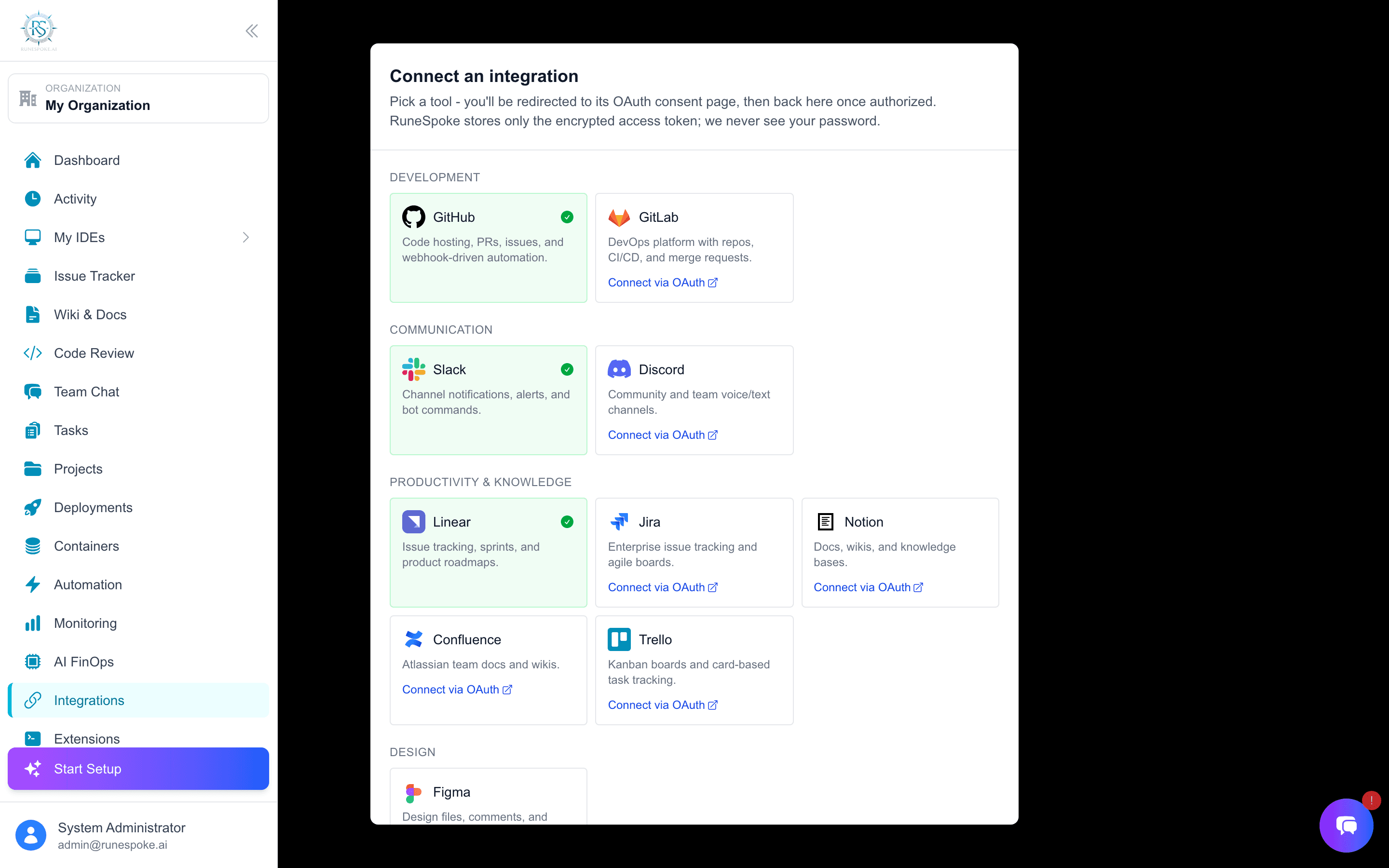
Navigate to the Integrations page and click "Connect to GitHub". You'll be redirected to GitHub to install the RuneSpoke Hub app.
Go to IntegrationsChoose Repository Access
Select which repositories RuneSpoke Hub can access. You can choose all repositories or select specific ones.
Recommended Permissions
- • Read access: Repository contents and metadata
- • Write access: Pull requests, issues, and status checks
- • Actions: Trigger and monitor GitHub Actions
- • Webhooks: Receive repository events
Configure Automation Rules
Set up automated workflows for different repository events:
On Push to Main
- • AI code review
- • Run test suite
- • Deploy to staging
- • Security scan
On Pull Request
- • Multi-AI code review
- • Automated testing
- • Merge conflict detection
- • PR quality scoring
Test the Integration
Make a test commit or create a pull request to verify that RuneSpoke Hub is receiving and processing events correctly.
Your GitHub repositories are now connected to RuneSpoke Hub!
Available Features
Once connected, these features are automatically available for your repositories:
Multi-AI Code Reviews
Automatic code reviews from Claude, GPT-4, and Gemini on every pull request with intelligent suggestions.
Smart Deployments
Automated deployments to Vercel, AWS, Azure, or GCP based on branch rules and AI-validated quality checks.
Security Scanning
Automated vulnerability detection, dependency scanning, and security best practices enforcement.
GitHub Actions Integration
Seamless integration with existing GitHub Actions workflows with AI enhancements and optimization.
Issue Management
Automatic issue creation from failed tests, security vulnerabilities, and AI-detected code smells.
Supported Webhook Events
Repository Events
- •
push- Code commits to any branch - •
pull_request- PR creation, updates, merges - •
release- Version releases and tags - •
issues- Issue creation and updates
Workflow Events
- •
workflow_run- GitHub Actions completion - •
check_run- Status checks and CI results - •
deployment- Deployment status changes - •
security_advisory- Security vulnerabilities
Troubleshooting
Webhooks not triggering?
- • Verify the RuneSpoke Hub app is installed on your repository
- • Check that the app has the necessary permissions
- • Ensure webhook URLs are accessible from GitHub
- • Review webhook delivery logs in your GitHub repository settings
Code reviews not appearing?
- • Check if AI code review is enabled in your automation settings
- • Verify that the pull request meets the minimum requirements for review
- • Ensure sufficient API credits are available for your AI providers
- • Check repository branch protection rules
Deployments failing?
- • Verify deployment target credentials are configured
- • Check build logs and deployment status in the RuneSpoke Hub dashboard
- • Ensure branch-specific deployment rules are properly configured
- • Review test results - failed tests may block deployments