Documentation
Everything you need to know about RuneSpoke Hub
AI-Powered Automation
Leverage artificial intelligence to create smart workflows, intelligent testing, and automated development processes that adapt and improve over time.
Intelligent Automation Beyond Traditional CI/CD
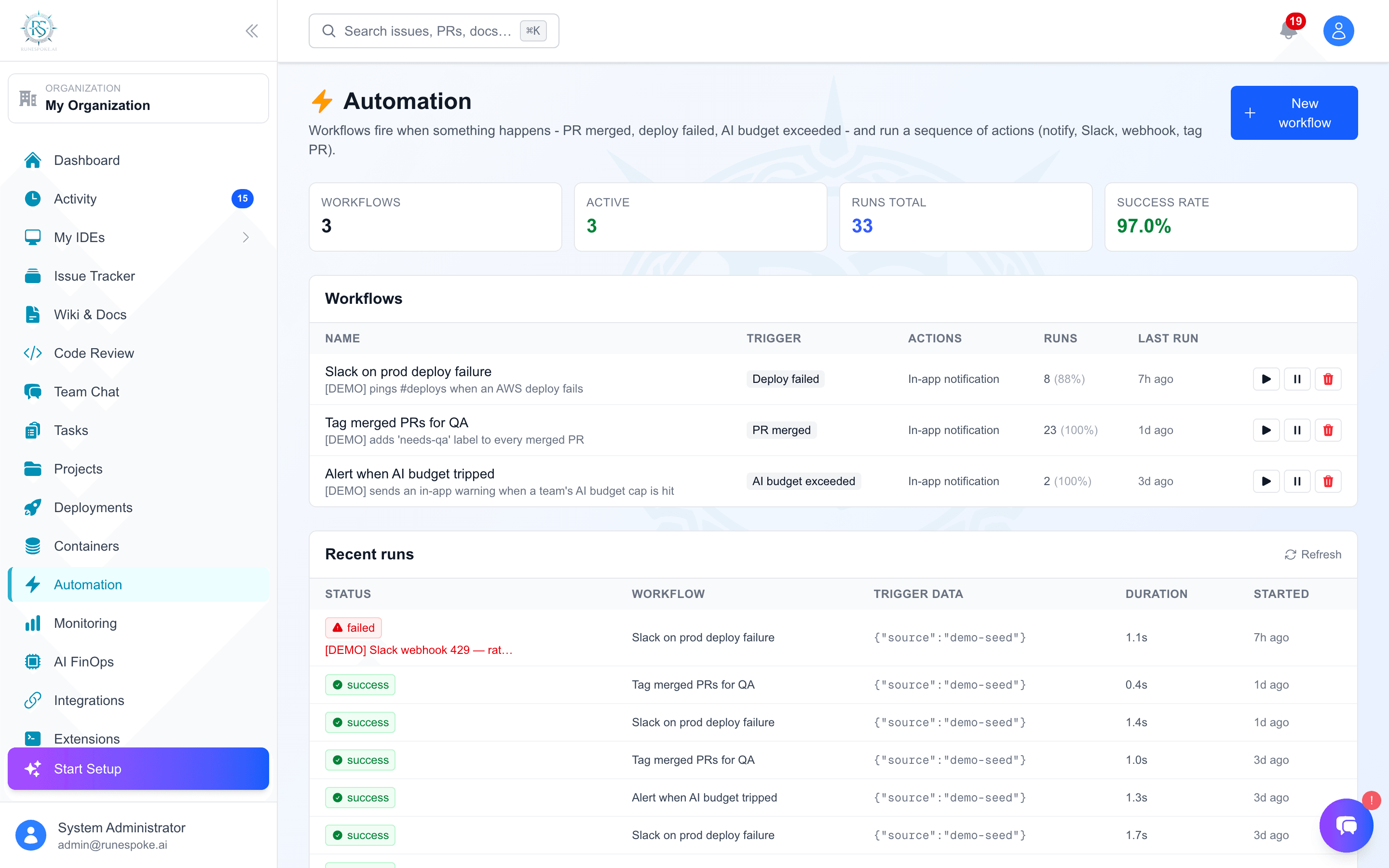
RuneSpoke Hub's AI automation goes beyond simple rule-based workflows. Our AI agents understand context, make decisions, and continuously optimize your development processes.
- Context-aware decision making
- Self-improving workflows
- Natural language configuration
- Predictive problem resolution
AI Automation Categories
Code Intelligence
AI-powered code analysis, review, and generation that understands your codebase context.
Smart Code Review
AI reviews code for bugs, security issues, and style consistency
Auto-Documentation
Generates comprehensive documentation from code changes
Refactoring Suggestions
Identifies optimization opportunities and suggests improvements
Intelligent Testing
AI-driven test generation, execution, and analysis that adapts to your application changes.
Test Generation
Automatically generates comprehensive test suites for new code
Flaky Test Detection
Identifies and fixes unreliable tests using pattern analysis
Performance Testing
AI-optimized load testing that simulates realistic user behavior
Smart Deployments
AI-orchestrated deployments with risk assessment, rollback decisions, and optimization.
Risk Assessment
Evaluates deployment risks and suggests optimal timing
Canary Analysis
AI monitors canary deployments and makes rollback decisions
Performance Tuning
Automatically optimizes application performance post-deployment
Creating AI Workflows
Natural Language Configuration
Describe what you want in plain English, and RuneSpoke Hub will create the workflow.
Example: Smart Code Review Workflow
Traditional Approach
- • Write complex YAML configurations
- • Define triggers and conditions
- • Set up webhooks and integrations
- • Debug workflow failures
- • Manually maintain and update
AI-Powered Approach
- • Describe workflow in plain English
- • AI generates optimal configuration
- • Automatic integration setup
- • Self-healing and adaptive
- • Continuous optimization
Pre-built AI Workflow Templates
Security-First Development
Automatically scans code for vulnerabilities, runs security tests, and ensures compliance.
Performance Optimization
Monitors performance metrics and automatically optimizes code and infrastructure.
Documentation Sync
Keeps documentation up-to-date with code changes and generates API docs.
Intelligent Rollbacks
Monitors deployment health and automatically rolls back problematic releases.
AI Automation vs Traditional CI/CD
| Feature | Traditional CI/CD | RuneSpoke AI |
|---|---|---|
| Configuration | Complex YAML/JSON files | Natural language descriptions |
| Decision Making | Rule-based logic | Context-aware AI decisions |
| Error Handling | Manual intervention required | Self-healing and adaptive |
| Optimization | Manual tuning | Continuous AI optimization |
| Maintenance | Regular updates needed | Self-improving workflows |
AI Workflow Monitoring
Intelligence Analytics
Track how your AI workflows are performing and improving over time.
- • Decision accuracy metrics
- • Time saved through automation
- • Error reduction statistics
- • Cost optimization insights
Real-time Adaptation
Watch as your workflows adapt and improve based on patterns and outcomes.
- • Learning from failures
- • Optimizing execution paths
- • Adapting to code patterns
- • Improving decision accuracy
Getting Started with AI Automation
Connect Your Repository
Link your GitHub, GitLab, or Bitbucket repository to RuneSpoke Hub.
Describe Your Workflow
Use natural language to describe what you want your automation to do.
Review and Deploy
Review the AI-generated workflow and deploy it with one click.
Monitor and Optimize
Watch as your workflow learns and improves automatically over time.
Next Steps
Ready to supercharge your development workflow with AI? Explore these resources: