
Documentation
Everything you need to know about RuneSpoke Hub
Deployments - one gate-and-promote pipeline over your own cloud
RuneSpoke ships your code to infrastructure you own. Connect a cloud provider once, and every release runs through the same pipeline: build and pre-deploy tests, a PR approval gate, an optional human approval hold, a health check, and automatic rollback if it goes wrong. Every attempt, including the ones that get blocked, lands in a full audit trail.
How a deploy reaches your box: AWS SSM, no SSH
Deploys to AWS run over AWS Systems Manager (SSM) Send-Command, not SSH. RuneSpoke never opens an inbound port on your instance and never manages an SSH key. The instance dials AWS outbound through the SSM agent, and RuneSpoke hands the deploy command to SSM, which the agent picks up and runs on the box.
What this buys you
- • No inbound ports - nothing for your security team to open
- • No SSH keys to distribute, rotate, or lose
- • The deploy command is standard
docker compose pull && up -dagainst an immutable image digest, never:latest - • Live command status streams back into the Deploy panel
One-time instance prerequisites
For an EC2 instance to receive deploys it needs three things (all standard AWS):
- The SSM agent installed and running (default on most AWS AMIs)
- The
AmazonSSMManagedInstanceCorepolicy on the instance role - The tag
RuneSpoke:Deploy=trueso RuneSpoke knows the box is a deploy target
The five gates
Every deploy walks the same pipeline. Earlier gates block later ones - a red gate stops the release before anything touches production. The gates you actually enforce are policy: development can wave most of them through, production turns them all on.
Build and pre-deploy tests
Before a release ships, RuneSpoke can run your test command on the target itself via SSM runCommand. A non-zero exit code blocks the deploy - the pipeline stops with a tests_failed status and production is never touched.
PR approval gate
A deploy must be tied to a merged pull request. RuneSpoke also blocks on unresolved 'changes requested' reviews and unmet required-approval counts. An admin can pass force=true for an emergency, but the override is itself audit-logged with the reason.
Human approval hold
Production deploys can pause for an explicit human approval before they run. The release sits in a pending_approval state until someone with the right permission approves it - four-eyes control, so the approver can differ from the person who triggered the deploy.
Health check
After the deploy, RuneSpoke probes the app's health URL on an interval. It distinguishes 'unhealthy' from 'unknown' (a probe that can't reach the box is usually a network blip, not a bad deploy), and only acts on sustained unhealthy results.
Auto-rollback
If the new release stays unhealthy, RuneSpoke redeploys the previous known-good image digest automatically. You can also roll back by hand at any time. Rollback is a normal deploy to the last-good reference, so it runs through the same safe path.
Deployment statuses
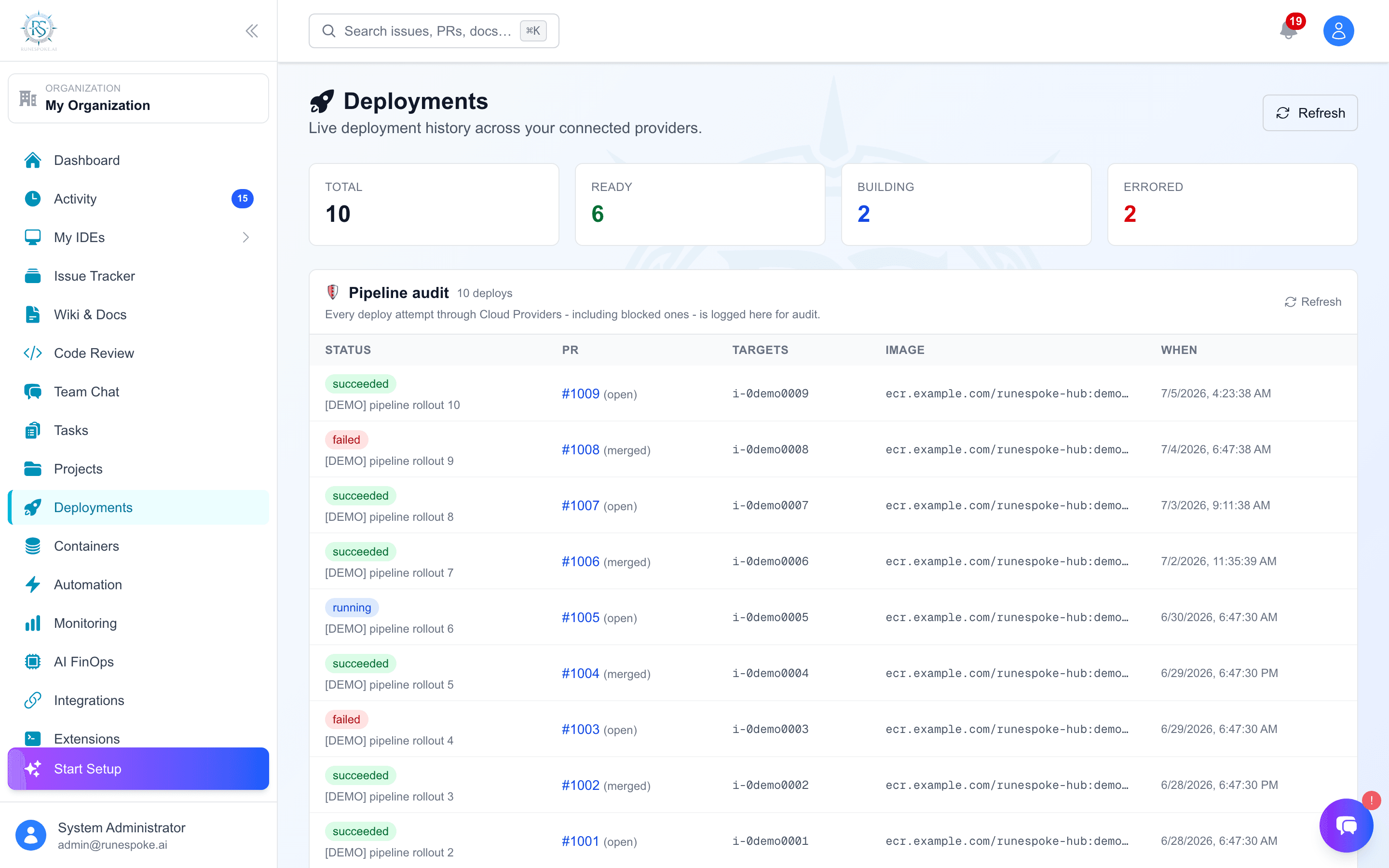
Every deploy row carries one canonical status so the dashboard, notifications, and audit log all read the same truth:
runningThe SSM command is in flight; status streams live.
succeededDeployed and passed the health check.
failedThe deploy command errored.
blocked_unapprovedNo merged PR, or reviews / required approvals not satisfied.
tests_failedA pre-deploy test returned a non-zero exit code.
pending_approvalWaiting on a human approval hold.
A full audit trail
Every deploy attempt is a row in the deployments ledger - including the ones that never shipped. Blocked deploys, failed tests, approval grants, gate overrides (with the reason), auto-rollbacks, and manual rollbacks are all recorded. You can answer 'who shipped what, when, and what gate let it through' without reconstructing it from scattered logs.
Each deploy-affecting action is gated by an explicit permission (cloud.deploy to trigger, approve, and roll back), so the audit trail lines up with who was allowed to do it.
Built to be provider-agnostic
The gate-and-promote pipeline is separate from how a given provider actually ships a release. AWS SSM over docker compose on EC2 is the path available today. The pipeline - gates, health, rollback, audit - stays the same as more provider paths come online, so the safety story does not change when your infrastructure does.
Get started
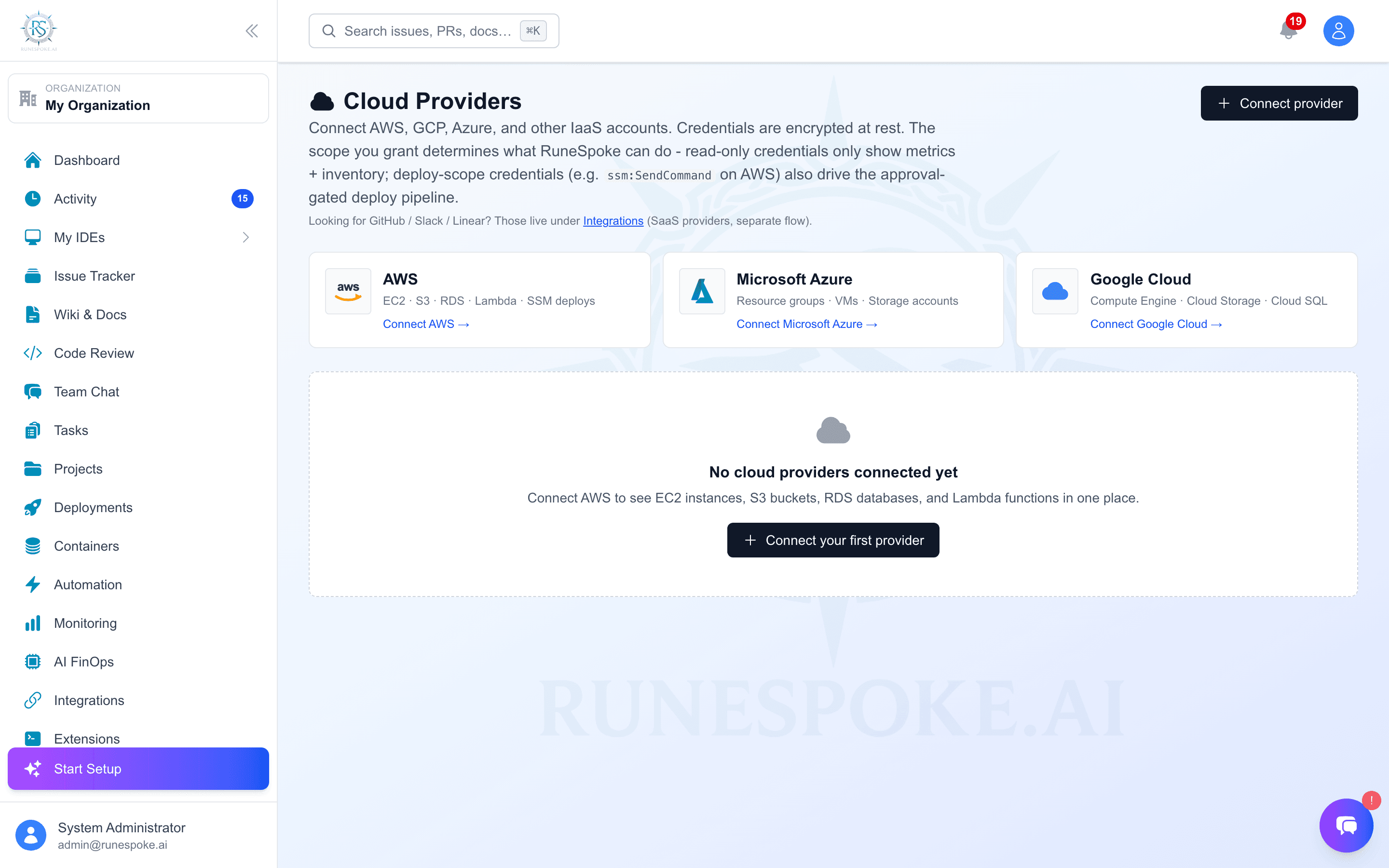
- Connect your AWS account under Cloud Providers - Access Key and Secret, encrypted at rest.
- Tag the EC2 instance you deploy to with
RuneSpoke:Deploy=trueand confirm the SSM agent is running. - Open a pull request, get it reviewed and merged - that satisfies the PR approval gate.
- From the Deploy panel, trigger the deploy and watch the gates and live SSM status.