Documentation
Everything you need to know about RuneSpoke Hub

Docker & Kubernetes Container Management
Complete Docker and Kubernetes container lifecycle management with AI-powered optimization, intelligent scaling, real-time monitoring, and seamless integration with your development workflows.
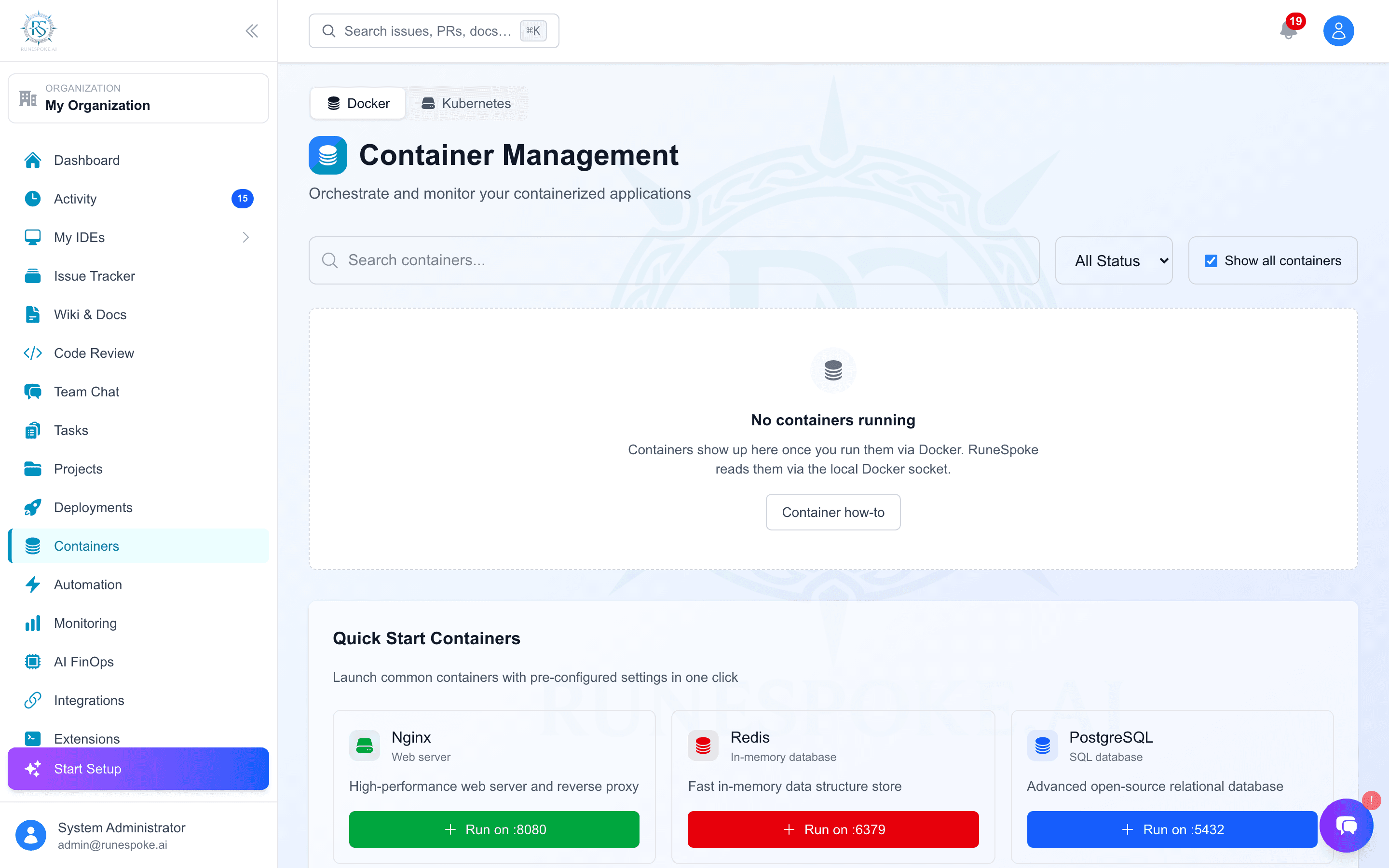
Advanced Docker Management
Traditional Docker Tools
RuneSpoke Hub Intelligence
Key Features
AI-Powered Optimization
Machine learning algorithms continuously optimize container resource allocation, scaling decisions, and performance tuning.
Real-Time Monitoring
Comprehensive monitoring of CPU, memory, network, disk I/O, and custom application metrics with intelligent alerting.
Intelligent Scaling
Automatic horizontal and vertical scaling based on AI analysis of traffic patterns, resource utilization, and application behavior.
Security & Compliance
Automated security scanning, vulnerability assessment, compliance monitoring, and policy enforcement for all containers.
Getting Started
Connect Docker or Kubernetes
Connect your local Docker environment or remote Docker hosts (Docker Desktop, Docker Engine, remote SSH), or point RuneSpoke Hub at a Kubernetes cluster to manage deployments, pods, and services from the same dashboard.
Open Container DashboardDeploy Your First Container
Use the web interface to deploy containers with AI-optimized configurations, or import existing Docker Compose files.
Quick Deploy Options:
- • Web UI: Visual container deployment with form-based configuration
- • Docker Compose: Import existing docker-compose.yml files
- • Template Library: Pre-configured templates for popular applications
- • AI Suggestions: Let AI recommend optimal configurations
Enable AI Optimization
Turn on AI-powered optimization features to automatically improve performance, reduce costs, and enhance security.
Performance Optimization
CPU, memory, and I/O tuning based on workload patterns
Cost Optimization
Resource right-sizing and intelligent scheduling
Monitor & Scale
Use the monitoring dashboard to track container health, performance metrics, and resource utilization in real-time.
View Monitoring Dashboard →Container Management Operations
Complete container lifecycle management through the RuneSpoke Hub interface:
Container Deployment
Deploy single containers or multi-container applications with AI-optimized configurations and intelligent resource allocation.
Resource Management
Dynamic CPU, memory, and storage allocation with AI-driven optimization based on workload analysis and performance metrics.
Network & Storage
Advanced networking with service discovery, load balancing, and persistent storage management with backup automation.
Security & Compliance
Automated security scanning, vulnerability patching, access control, and compliance monitoring with policy enforcement.
Logs & Debugging
Centralized logging, real-time log streaming, interactive container shells, and AI-powered troubleshooting assistance.
AI-Enhanced Features
Predictive Scaling
AI analyzes historical usage patterns, traffic forecasts, and application behavior to predict scaling needs before bottlenecks occur.
Scaling Intelligence:
- • Traffic pattern analysis and forecasting
- • Seasonal and time-based scaling predictions
- • Application-specific performance modeling
- • Cost-aware scaling decisions
- • Multi-dimensional resource optimization
Performance Analytics
Deep performance analysis with AI-powered insights, bottleneck detection, and optimization recommendations.
Real-Time Metrics
CPU, memory, I/O, network, and custom application metrics
AI Insights
Anomaly detection, trend analysis, and performance recommendations
Intelligent Automation
Automated container lifecycle management with AI-driven decisions for updates, restarts, scaling, and maintenance tasks.
Integration Examples
CI/CD Integration
Seamlessly integrate with your existing CI/CD pipelines for automated container builds, testing, and deployments.


Cloud Deployments
Deploy containers across multiple cloud providers with unified management and AI-powered optimization.


