Documentation
Everything you need to know about RuneSpoke Hub
AI Chat Assistant
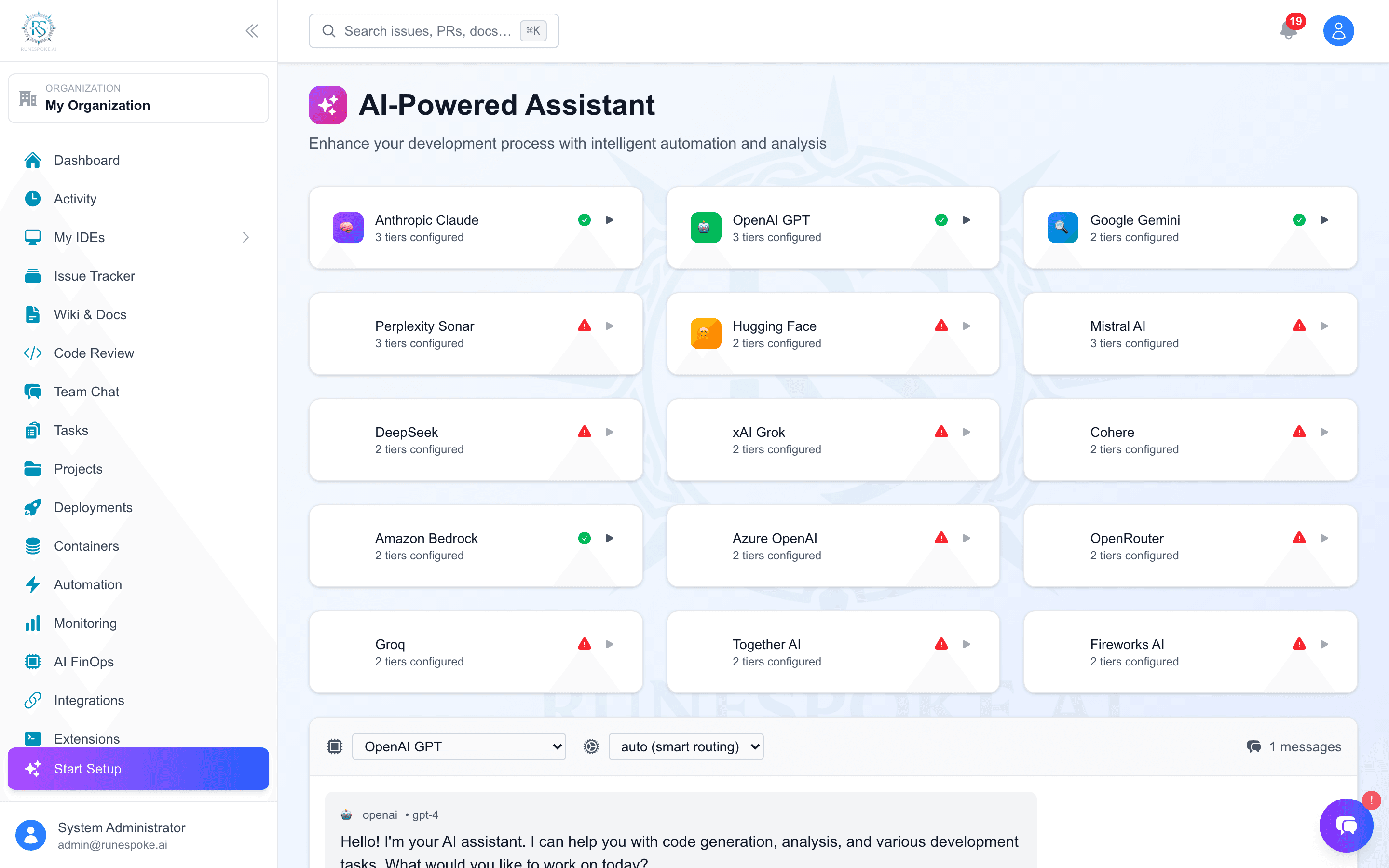
Your intelligent coding companion that understands your project context, provides smart suggestions, and helps you build better software faster with multi-AI provider intelligence.
RuneSpoke AI vs GitHub Copilot
GitHub Copilot Limitations
RuneSpoke AI Advantages
Key Features
Smart Code Completion
AI-powered code suggestions from multiple providers with project context awareness and cost optimization.
Conversational AI
Ask questions about your codebase, get explanations, debug issues, and receive architecture advice.
Intelligent Insights
AI analyzes your project patterns, suggests optimizations, identifies potential issues, and recommends improvements.
Multi-Provider Intelligence
Automatically routes requests to the best AI provider based on task complexity, cost, and performance needs.
Getting Started
Access the AI Assistant
Navigate to the AI Assistant page in your RuneSpoke Hub dashboard or use the chat widget available on every page.
Open AI AssistantChoose Your Mode
Select from different interaction modes based on your current needs:
Chat Mode
Interactive conversation for questions and guidance
Code Completion
Smart code suggestions and auto-completion
Code Review
AI-powered code analysis and improvement suggestions
Debug Assistant
Help identifying and fixing issues in your code
Configure AI Providers
Set your preferred AI providers and cost optimization preferences:
Recommended Settings
- • Primary: Claude (best reasoning)
- • Secondary: GPT-4 (complex tasks)
- • Fast tasks: Gemini (speed optimized)
- • Offline: Local CodeLlama (privacy)
Advanced Features
Project Context Awareness
The AI automatically understands your project structure, dependencies, recent changes, and coding patterns to provide more relevant suggestions.
What the AI knows about your project:
- • Programming languages and frameworks used
- • Package dependencies and versions
- • Recent file changes and commit history
- • Code patterns and architecture decisions
- • Active issues and project roadmap
Integration Commands
Use the AI assistant across your favorite tools with slash commands and integrations:
Slack Integration
/runespoke ai [question]Discord Integration
!runespoke ai [question]Cost & Performance Optimization
RuneSpoke AI automatically optimizes costs and performance by routing requests to the most appropriate provider:
Simple Tasks
Routed to Gemini (fast & cheap)
Complex Reasoning
Routed to Claude (best quality)
Sensitive Code
Routed to local models